TRAINING FOR DEALERS AND DESIGN TEAMS

Practical skills for the projects on your desk.

Give your team time to understand the tools they use every day. Cate’s training connects software skills with the questions that come up in design and dealer work, from getting started to refining a familiar workflow.

Training since 1989

Design experience connected with practical software education.

Virtual or in person

Discuss a format that works for your team.

Your team’s starting point

Training shaped around experience, questions, and goals.

MEET YOUR TEAM WHERE THEY ARE

A useful next step at every level.

New and experienced users do not need the same session. Choose a starting point, then talk with Cate about the skills your team would like to develop.

01 / FOUNDATIONS

Build the foundations.

For new users who want a clearer introduction to the software and the basic steps behind everyday tasks.

02 / DEVELOPING SKILLS

Connect the steps.

For developing users who know the basics and want help bringing individual skills into a more complete workflow.

03 / ADVANCED

Refine your approach.

For experienced users ready to look more closely at recurring challenges and more advanced ways of working.

04 / CUSTOM SESSIONS

Focus on your questions.

A custom session centered on specific tasks, tips and tricks, or questions your team brings to the table.

WAYS TO LEARN

Make space for learning in your workday.

REMOTE

Live virtual training

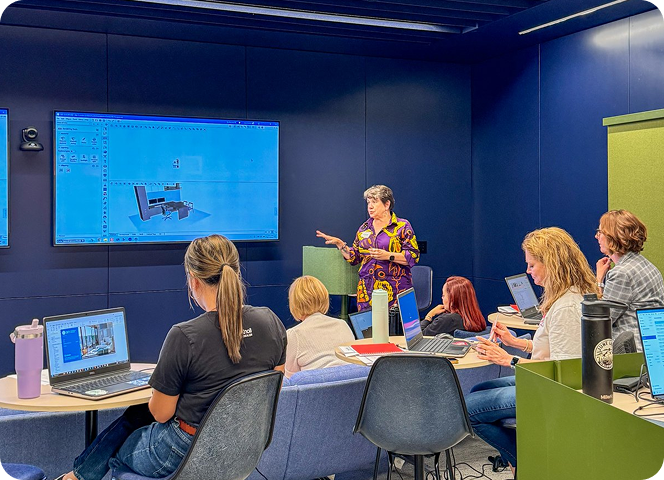
Join remotely for a session with Cate, with time for explanation, questions, and practical work.

AT YOUR LOCATION

In-person training

Discuss an on-site session and the setup that would support your team’s learning.

IN PERSON

Let’s find the right setting.

Share your location, group size, and preferred timing. Cate can talk through the available options with you.
HOW IT WORKS

Start with the question. Build toward the task.

01

Listen

Share your software, experience level, and the situations where your team would like more support.

02

Shape

Agree on the focus, format, and practical details of the training.

03

Practice

Work through relevant examples and make time to ask questions as the steps become clearer.

04

Apply

Bring the learning back to your projects and identify the skills you want to keep practicing.

A PRACTICAL START

Bring the questions you keep coming back to.

YOUR NEXT STEP

What would you like your team to do with more confidence?

Send Cate a few details about your software, group size, and training goals. A clear starting point is enough to begin the conversation.